Keep teaching.
Let the data
collect itself.
Woob is an app that runs a positive classroom points system and automatically records behavior data as it happens. Review student trends, explore classroom patterns, and bring useful reports to your next team conversation.
One classroom routine.
Two things working for you.
The positive points system is what makes the data collection part of the classroom routine. Teachers set the structure, Woob runs the intervals, and behavior data is recorded for teams to review.
Reinforcement keeps moving
Set the point intervals and start the game. Woob manages the ongoing point process while you stay focused on instruction.
Success gets recognized
Build the classroom experience around earning, progress, and frequent opportunities for positive reinforcement.
The activity becomes data
Woob records behavior data as it happens, making student information and classroom patterns available for review afterward.
The data you need.
Collected while you teach.
Explore behavior trends, classroom routines, event timing, and positive progress. Select a report, then hover over or tap its orange plus signs for a closer look.
Hover over or tap a + to explore. Click to keep a detail open.
From classroom data
to team conversations.
Bring behavior totals, daily trends, activity patterns, and a written summary together in one report. Complete a student daily note at the end of the day to add teacher context and keep positive progress visible. Explore both samples below.
Hover over or tap an orange + for a closer look. Scroll the document to explore more.
Set the structure. Start the game.
Come back to the data.
Automatic collection starts with the game you configure. Woob handles the repeated point process and records behavior data; teachers continue to guide the classroom and use the information in context.
Prepare your classroom
Add students and define the expectations and rules that guide the classroom game.
Choose your intervals
Set how frequently point opportunities occur so reinforcement can run consistently.
Start & keep teaching
Woob runs the point process and records behavior data as your classroom routine continues.
Review & report
Return to student data, graphs, behavior history, and daily notes to inform your next conversation.
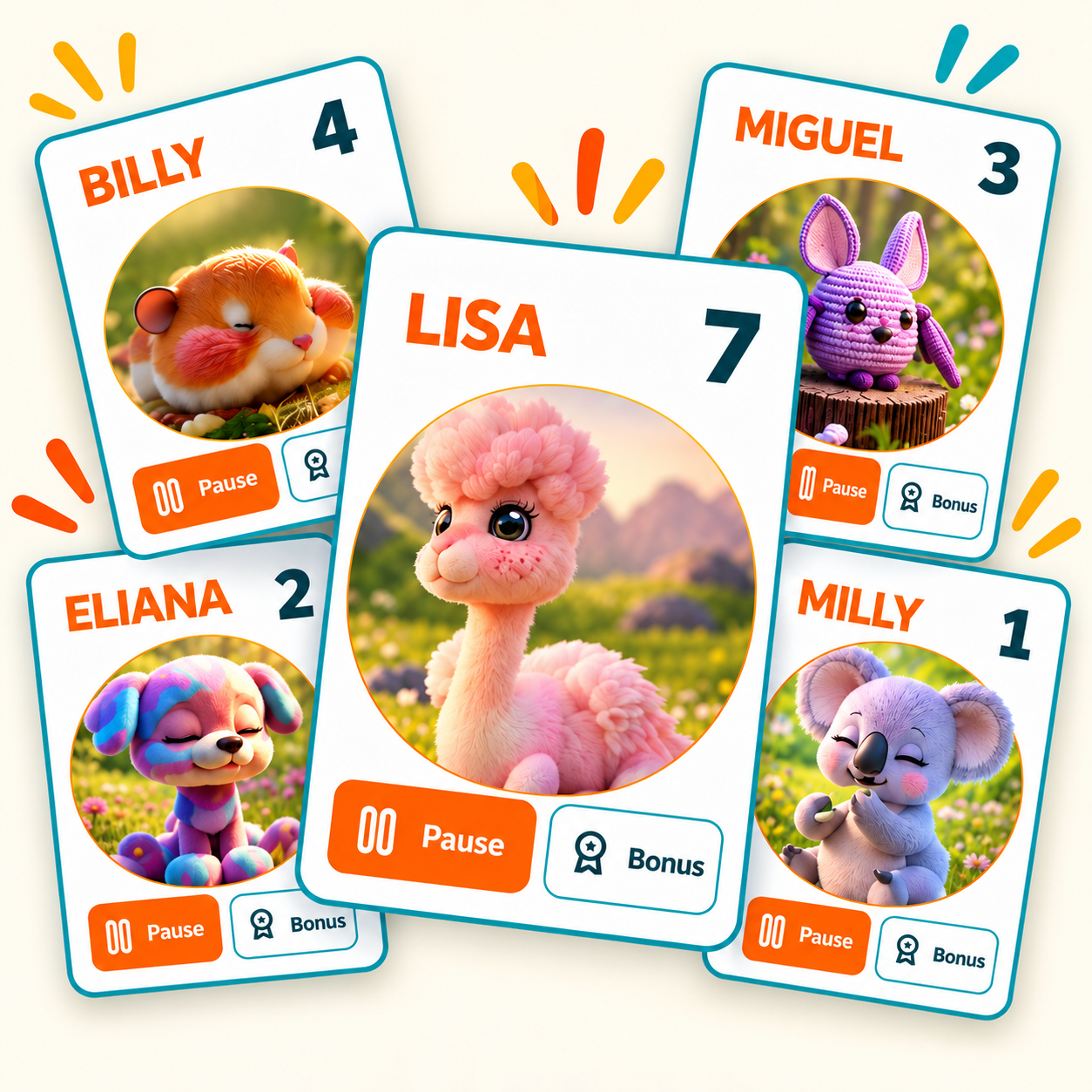
Recognize the positive.
Keep a record of progress.
Useful classroom data includes the success students experience. Woob pairs a positive reinforcement routine with behavior records, giving teams a way to review earning and progress alongside the patterns that need attention.
Bring the classroom team in. Keep the teacher in control.
Classrooms are rarely supported by just one adult. With Shared Classrooms, the teacher who creates the classroom can invite other members of the team to participate in the live game without giving up ownership of the classroom, controls, or data.
Paraprofessionals, behavior technicians, and other teachers can participate in the shared classroom.
Shared team members can help award points during the game instead of relying on one teacher to manage every interaction.
The classroom owner keeps access to the full controls and classroom data while invited participants stay focused on live participation.
 Multiple adults. One classroom game.
Built for teaching.
Ready for team support.
Automatic points
Consistent intervals. Less manual tracking.
Student trends & history
See patterns over time.
Reports & daily notes
Turn classroom records into useful updates.
Flexible classroom setup
Your students, expectations, and routines.
Presenter view & avatars
Make progress visible and engaging.
Shared Classrooms
Invite teammates. Keep teacher ownership.
See what’s happening.
Know where to support.
Review classroom data, check live activity, and coordinate support across participating classrooms and schools.
Classroom data
Review student trends, behavior history, and reports.
Real-time monitoring
Check live classroom activity to identify where support may be needed.
Across classrooms & schools
Bring participating classrooms together to guide support across your organization.
Access for the people supporting your classrooms. Available to authorized staff, regardless of job title.
Try everything free. Then choose what fits.
Every new teacher gets the full Woob experience for 90 days. After the trial, keep the core classroom game free with Woob Lite or upgrade to keep the data, insights, and premium features.
Woob Lite
Individual Teacher
Schools & Districts
What teachers and school teams
want to know.
What behavior data does Woob record automatically?
As the classroom points system runs, Woob builds a record of points, pauses, behavior reasons, and timing associated with classroom use. That record supports student trends, activity patterns, and reporting without requiring teachers to recreate the information later.
What does the teacher still need to do?
Teachers set up the classroom, choose point intervals and expectations, and identify behavior events as they occur. Woob runs the repeated point process and keeps the associated records. Teachers continue to provide context and decide what the information means.
What patterns can I explore in the charts?
Review behavior frequency across days, pause distribution by classroom activity, event timing by day and time, and points earned across students. Use the different views together to explore when patterns occur and where a closer look may be useful.
How does Woob capture positive progress?
The classroom routine is built around earning points and recognizing success. Point records sit alongside behavior and pause information, helping teams review positive progress as well as patterns that need attention.
What is included in a classroom report?
The sample classroom report brings together the classroom summary, selected reporting range, written summary, behavior totals, frequency trends, activity distribution, and event timing. These views give teams several ways to review the same classroom record.
How is a daily note different from a classroom report?
A daily note focuses on one student’s day. Complete it at the end of the day to review activities and goals, include a teacher note, and share a concise picture of the day. The classroom report provides a broader view of patterns across the selected reporting range.
Can I download reports and daily notes?
Woob supports PDF reports and daily notes. The samples on this page show what those documents can look like and let you explore individual sections before downloading the sample PDFs.
Can staff supporting classrooms access data and real-time monitoring?
Schools and districts can arrange administrative access for authorized staff who support participating classrooms. This can include reviewing classroom data and monitoring classrooms in real time to identify where support may be needed. Access is not limited to a specific job title. Contact us to discuss bulk teacher pricing and the access your team needs.
How do Shared Classrooms work with classroom data?
The classroom owner can invite other classroom team members to participate in the live game and help award points. The originating teacher retains ownership of the classroom and access to its full controls and data.
Can I try the data and reporting tools before choosing a plan?
New teachers receive a 90-day trial of the full teacher experience, including data and reporting tools. After the trial, a paid plan keeps those features available. Woob Lite keeps the core classroom game available without the full data and reporting experience.
How does Woob protect classroom data?
Woob uses encrypted connections and storage, role-based access controls, and U.S.-based cloud infrastructure to help protect classroom data. Access is restricted to authorized users, and the app is designed to limit the student information it collects.
For more information about student data privacy and security, contact us.
Keep teaching.
Let Woob keep the record.
Bring automatic classroom data collection and positive reinforcement into the same routine. Try the full teacher experience free for 90 days, or explore a school and district rollout with a demo.